
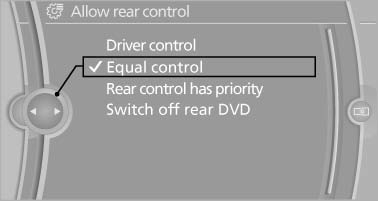
Enabling operation in the rear
Only possible via the iDrive in the front.
1. "Settings"
2. "Allow rear control"
3. Select the desired priority.
See also:
The concept
The following can be operated using the buttons
and the thumbwheel on the steering wheel:
Current audio source.
Redial on telephone*.
Activation of the voice activation system*.
...
Engine oil
Vehicle equipment
All standard, country-specific and optional
equipment that is offered in the model series is
described in this chapter. Therefore, equipment
is also described that is not avai ...
Closing the trunk lid
Drive with the trunk lid closed
Only drive with the tailgate closed; otherwise,
in the event of an accident or braking or
evasive maneuvers, passengers or other road
users may be injured or th ...