
Semi-electrically adjustable seats
At a glance
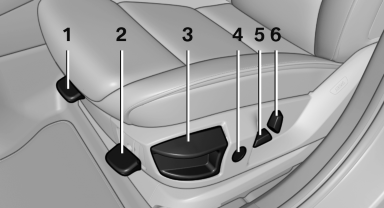
1. Thigh support
2. Tilt
3. Forward/backward
4. Lumbar support
5. Height
6. Backrest
Tilt
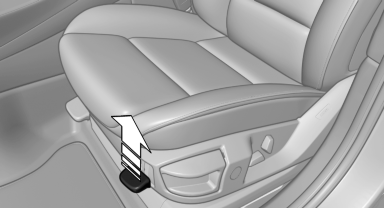
Pull the lever and move the seat to the desired tilt. After releasing the lever, apply your weight to the seat or lift it off to make sure the seat engages properly.
Forward/backward
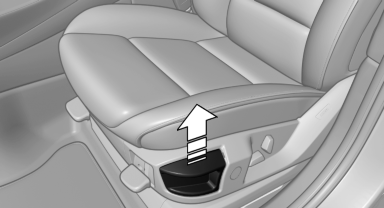
Pull the lever and slide the seat in the desired direction.
After releasing the lever, move the seat forward or back slightly to make sure it engages properly.
Height
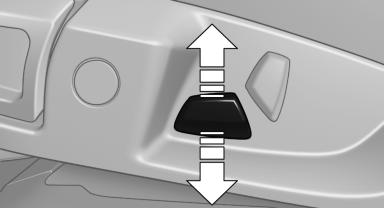
Move the button in the required direction.
Backrest
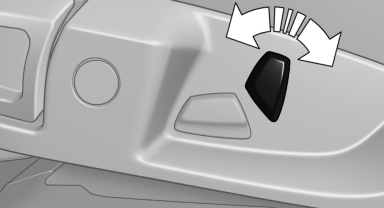
Move the button in the required direction.
See also:
Emissions
▷ The warning lamp
lights up:
Emissions are deteriorating. Have
the vehicle checked as soon as possible.
▷ The warning lamp flashes under certain circumstances:
This indicates that ...
The concept
This system issues a warning at speeds above
approx. 40 mph/65 km/h if the vehicle is about
to leave the lane on roads with lane markings.
The steering wheel begins vibrating gently. The
time o ...
Automatic locking
The setting is stored for the remote control currently
in use.
1. "Settings"
2. "Door locks"
3. Select the desired function:
► "Lock if no door is opened"
T ...