
Indication in the info display
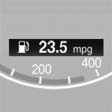
The information from the computer is shown in the Info display in the instrument cluster.
See also:
Washer fluid reservoir
Adding washer fluid
Only add washer fluid when the engine is
cool, and then close the cover completely to
avoid contact between the washer fluid and hot
engine parts.
Otherwise, there is the d ...
Rain sensor
If the car is equipped with a rain sensor, the time
between wipes is controlled automatically and
depends on the intensity of the rainfall.
The rain sensor is mounted on the windshield,
directl ...
Pinch protection system
If the closing force exceeds a specific value as a
window closes, the closing action is interrupted.
The window reopens slightly.
Danger of pinching even with pinch protection
Even with the pin ...