
Head-up Display
The concept
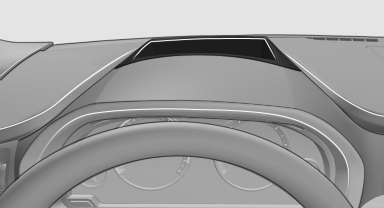
This system projects important information into the driver's field of vision, e.g., the speed.
In this way, the driver can get information without averting his or her eyes from the road.
See also:
Connecting headphones
You can connect headphones with a jack plug or
operate them using the infrared interface.
To enable optimal use of the infrared interface,
use infrared headphones that comply with the
IEC 61603 ...
Displays in instrument cluster
Displays in instrument cluster
1 Stored desired speed
▷ Green: the system is active.
▷ Orange: the system is interrupted.
2 Lights up yellow: vehicle detected ahead
Display also ...
Automatic mode
The automatic engine start/stop function is operational
after each engine start.
The function is activated above a certain speed.
▷ Manual transmission: above 3 mph, approx.
5 km/h.
▷ ...