
Selection lists in the instrument cluster
The concept
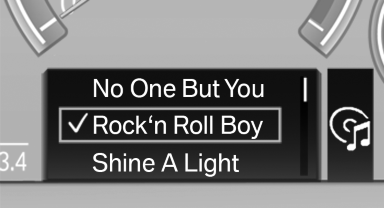
The concept
The following can be operated using the buttons and the thumbwheel on the steering wheel:
▷ Current audio source.
▷ Redial on telephone.
▷ Activation of the voice activation system.
Activating a list and creating the setting
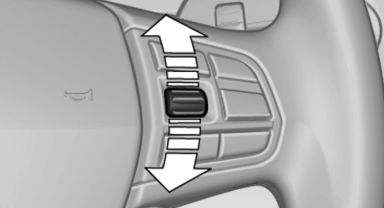
Activating a list and creating the
setting
On the right side of the steering wheel, turn the thumbwheel to activate the corresponding list.
Using the thumbwheel, select the desired setting and confirm it by pressing the thumbwheel.
See also:
Lamps
At a glance
1 Rear fog lamps*
2 Front fog lamps*
3 Automatic headlamp control / adaptive light
control* / high-beam assistant* / welcome
lamps / daytime running lights*
4 Lamps off / daytime ...
Wheel/tire damage
Due to low-profile tires, please note that wheels,
tires and suspension parts are more susceptible
to road hazard and consequential damages.
Inspect your tires often for damage, foreign objects
...
Interior: driver-oriented cockpit, exclusive ambience.
The driver-oriented cockpit layout familiar from BMW models down the years
and a dynamic forward-surging movement define the design of the interior. The
centre section of the instrument panel - in ...