
Front seat heating
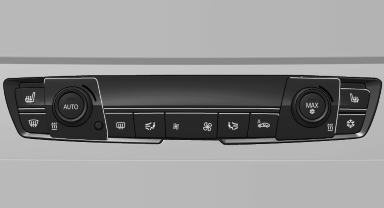
Switching on
 Press the button once for each
temperature
level.
Press the button once for each
temperature
level.
The maximum temperature is reached when three LEDs are lit.
If the drive is continued within approx. 15 minutes, the seat heating is activated automatically with the temperature selected last.
Switching off
Press the button longer.
The LEDs go out.
See also:
Messages after trip completion
Malfunctions indicated during a trip are displayed
again after the ignition is switched off. ...
Volume
► "Speed volume": speed-dependent volume
control.
► "PDC": volume of the PDC signal compared
to the entertainment sound output.
► "Gong": volume of ...
Destination entry via BMW Assist
A connection is established to the Concierge
service
1. "Navigation"
2. "Enter address"
3. Open "Options".
4. "BMW Assist dest. entry" ...