
Semi-electrically adjustable seats
At a glance
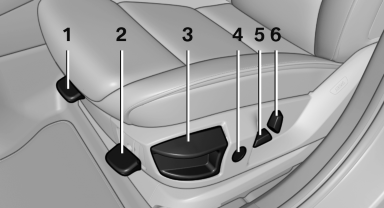
1. Thigh support
2. Tilt
3. Forward/backward
4. Lumbar support
5. Height
6. Backrest
Tilt
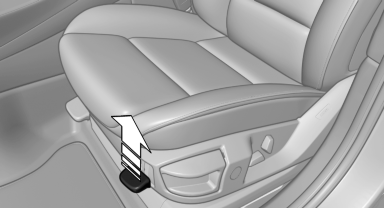
Pull the lever and move the seat to the desired tilt. After releasing the lever, apply your weight to the seat or lift it off to make sure the seat engages properly.
Forward/backward
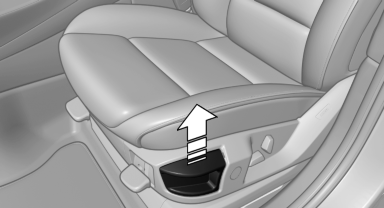
Pull the lever and slide the seat in the desired direction.
After releasing the lever, move the seat forward or back slightly to make sure it engages properly.
Height
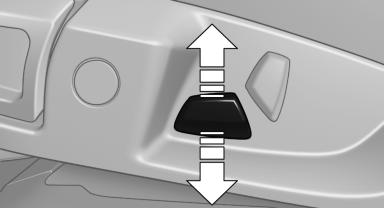
Move the button in the required direction.
Backrest
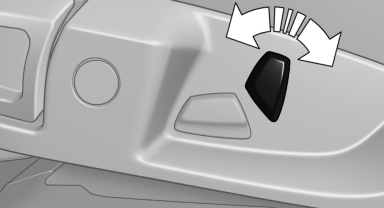
Move the button in the required direction.
See also:
Deleting contacts
1. "My contacts"
2. Highlight the contact.
3. Open "Options".
4. "Delete contact" or "Delete all contacts" ...
Adjusting the volume
Turn the volume button while giving an instruction
until the desired volume is set.
▷ The volume remains constant even if the
volume of other audio sources is changed.
▷ The volume i ...
The concept
The vehicle alarm system responds to:
► Opening of a door, the hood or the tailgate.
► Movements in the vehicle.
► Changes in the vehicle tilt, e.g., during attempts
to steal a ...