
Status field symbols
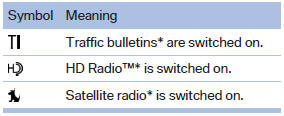
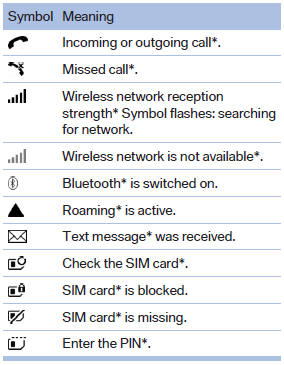
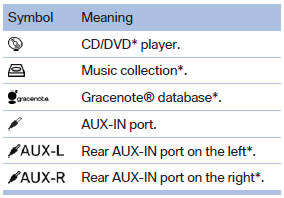
The symbols are grouped as follows.
Radio symbols
Telephone symbols
Entertainment symbols
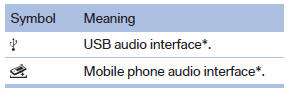
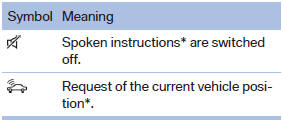
Additional symbols
See also:
Digital compass
Digital compass
1. Adjustment button
2. Display
The display shows you the main or secondary
compass direction in which you are driving. ...
Functional requirements
The system must have been reset while the inflation
pressure was correct; otherwise, reliable
signaling of a flat tire is not ensured.
Always use wheels with TPM electronics to ensure
that the ...
Display
1 Lane departure warning*
2 Active Cruise Control*
3 Desired speed
4 Navigation system*
5 Speed
The collision warning*, Night Vision* pedestrian
warning, or Check Control messages are display ...