
The concept
This system projects important information into the driver's field of vision, e.g., navigation instructions.
In this way, the driver can get information without averting his or her eyes from the road.
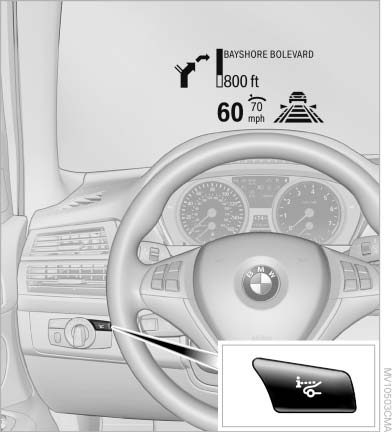
The concept
See also:
Programming
Programming
1. Memory buttons
2. LED
Fixed-code hand-held transmitters
1. Switch on the ignition, refer to page 61.
2. Initial setup:
Press both outer memory buttons 1 for approx.
20 seconds ...
Tire inflation pressures at max. speeds above 100 mph/160 km/h
Speeds above 100 mph/160 km/h
In order to drive at maximum speeds in excess
of 100 mph/160 km/h, please observe, and,
if necessary, adjust tire pressures for speeds
exceeding 100 mph/160 km/h ...
Automatic trunk lid operation
Opening
The trunk lid opens fully.
Press the button on the exterior of the trunk
lid.
Press the button on the
remote
control or in the driver's footwell.
Pressing the button agai ...