
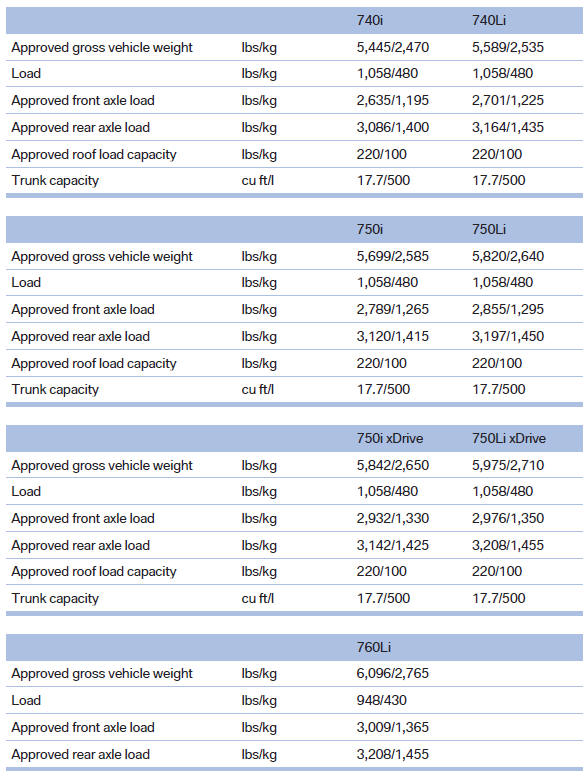
Weights

See also:
Electromechanical steering increases agility and comfort
The driving enjoyment, agility and comfort are also down to an accurate
steering system which always gives the driver precise feedback. The typical BMW
rear-wheel-drive setup, which eliminates tor ...
Locking separately
The trunk lid can be locked separately using the
switch in the front center armrest.
Trunk lid secured, arrow 1.
Trunk lid not secured, arrow
2.
Slide the switch into the arrow 1 posit ...
Vehicle information
Computer
...