
Service Request
At a glance
Sends information to your service partner to request the arrangement of a service appointment. The TeleService data is transmitted during a Service Request. If possible, your service partner will establish contact with you.
Starting a Service Request
1. "ConnectedDrive"
2. "Service Request"
3. "Start service"
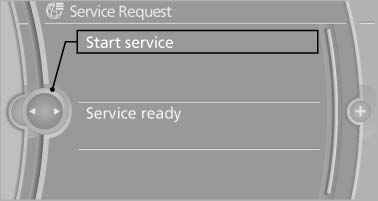
A Service Request can be started via a Check Control message.
See also:
General information
Do not adjust the seat while driving
Do not adjust the driver's seat while driving,
or the seat could respond with unexpected
movement and the ensuing loss of vehicle control
could lead to an acc ...
Advanced chassis technology and optional Adaptive Drive deliver the perfect
balance of sports performance and comfort.
The driving experience in the new BMW 6-Series Coupe is defined by sporty
handling characteristics. However, the cutting-edge chassis technology of the
two-door car also delivers impressive ride c ...
Functional requirements
► There are no external sources of interference
nearby.
► To lock the vehicle, the remote control must
be located outside of the vehicle.
► The next unlocking and locking cycle i ...