
Time
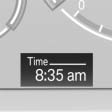
The time is displayed at the bottom of the instrument cluster.
Setting the time and time format.
See also:
System limits
Personal responsibility
The High-beam Assistant cannot serve as
a substitute for the driver's personal judgment
of when to use the high beams. Therefore, manually
switch off the high beams in ...
Coupe: roof-mounted luggage rack
A special rack system is available as an option for your BMW. Comply with the
directions given in the installation instructions.
Mounting points
Fold open the cover.
Loading roof-mounted luggage ...
General information
Take the remote control with you
Take the remote control with you when
leaving the vehicle so that children, for example,
cannot operate the power windows and injure
themselves.◀
...