
Services status
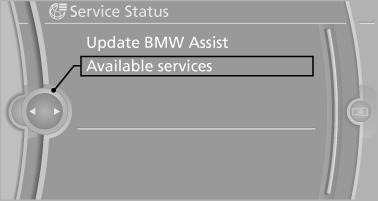
Displaying available services
Display of all services available in the vehicle.
1. "BMW Assist" or "ConnectedDrive".
2. "Service Status".
3. "Available services"
Update BMW Online
Manual update of TeleService and BMW Assist.
"Update BMW Assist"
See also:
Through-loading system
General information
The cargo area can be enlarged by folding down
the rear seat backrest.
The rear seat backrest is divided into two parts
at a ratio of 60 to 40. The sides can be folded
down ...
Displaying stored Check Controlmessages
1. "Vehicle Info"
2. "Vehicle status"
3. "Check Control"
4. Select the text message. ...
The concept
The vehicle alarm system responds to:
Opening of a door, the hood or the trunk lid.
Movements in the vehicle: interior motion
sensor.
Changes in the vehicle tilt, e.g., during attempts
t ...