
Units of measure
Setting the units of measure
To set the units for fuel consumption, route/distance and temperature:
1. "Settings"
2. "Language/Units"
3. Select the desired menu item.
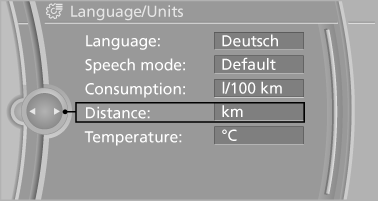
4. Select the desired unit.
The setting is stored for the remote control currently in use.
See also:
Removing and inserting
Cargo cover without partition net:
Removing
The cover can be removed to load bulky luggage.
Reach under the cover and turn it upward, arrows.
Pull the cover back horizontally.
Cargo cover ...
Route
Different views of the route are available during
destination guidance:
► Arrow view in the instrument cluster and on
the Control Display.
► List of route sections.
► Map view.
...
Cargo
In wagon form, the 5 Series is quite utilitarian. There are a lot of
convenient features I appreciated during my time with it. Chief among them was
the cargo cover that raised and lowered when you ...