
Adjusting the volume
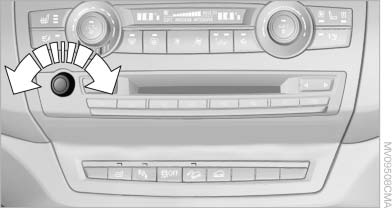
Adjusting the volume
Turn the knob during an announcement.
▷ The volume remains constant even if the
volume of other audio sources is changed.
▷ The volume is stored for the remote control
currently in use.
See also:
Switch off the engine duringlonger stops
Switch off the engine during longer stops, e.g.,
at traffic lights, railroad crossings or in traffic
congestion.
Auto Start/Stop function
The Auto Start/Stop function of your vehicle automatically ...
Automatic headlamp control
Switch position : the low beams
are switched
on and off automatically, e.g., in tunnels, in twilight
or if there is precipitation. The indicator
lamp in the instrument cluster lights up.
A bl ...
Under the Hood
The 528i has a 240-horsepower, 3.0-liter six-cylinder, while the 535i gets a
300-hp, turbocharged 3.0-liter six-cylinder. The 550i has a twin-turbo,
4.4-liter V-8 that makes 400 hp. All three use ...