
Lane departure warning
The concept
Starting at a specific speed, this system alerts you when the vehicle on streets with lane markings is about to leave the lane. Depending on the country-specific version of the vehicle, the speed is between 35 mph/55 km/h and 45 mph/70 km/h. When switching on the system below this speed, a message appears in the instrument cluster.
The steering wheel begins vibrating gently in the event of warnings. The time of the warning may vary depending on the current driving situation.
The system does not provide a warning if the turn signal is set before leaving the lane.
Switching on/off
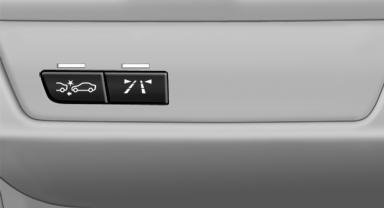
 Press the button.
► On: the LED lights up.
► Off: the LED goes out.
The state is stored for the remote control currently in use.
Display
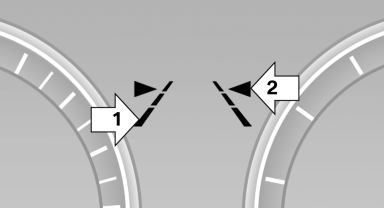
► Lines, arrow 1: the system is activated.
► Arrows, arrow 2: at least one lane marking
was detected and warnings can be issued.
Issued warning
If you leave the lane and if a lane marking has been detected, the steering wheel begins vibrating.
If the turn signal is set before changing the lane, a warning is not issued.
End of warning
The warning ends:
► Automatically after approx. 3 seconds.
► When returning to your own lane.
► When braking hard.
► When using the turn signal.
System limits
 Personal responsibility
The system cannot serve as a substitute
for the driver's personal judgment of the course
of the road and the traffic situation.
In the event of a warning, do not jerk the steering
wheel, as you may lose control of the vehicle.◄
The system may not be fully functional in the following situations:
► In heavy fog, rain or snowfall.
► In the event of worn, poorly visible, merging,
diverging, or multiple lane markings such as
in construction areas.
► When lane markings are covered in snow,
ice, dirt or water.
► In tight curves or on narrow lanes.
► When the lane markings are covered by objects.
► When driving very close to the vehicle in
front of you.
► When driving toward bright lights.
► When the windshield behind the interior
rearview mirror is fogged over, dirty or covered
with stickers, etc.
► During calibration of the camera immediately
after vehicle shipment.
Camera
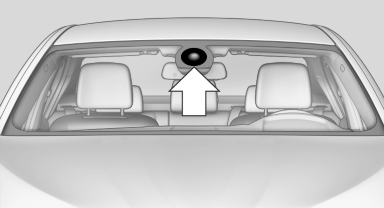
The camera is located near the base of the mirror.
Keep windshield clean and clear in the area in front of the interior rear view mirror.
See also:
Starting navigation system
1. Press the button on the
controller.
2. "Navigation"
The navigation system can also
be accessed
directly with the button on the controller. ...
Radio ready state
Activate radio ready state:
▷ When the ignition is switched off: press ON/
OFF button on the radio.
▷ When the engine is running: press START/
STOP button.
Some electronic systems/p ...
Trip computer
There are two types of computer.
"Onboard info": the values can be reset as
often as necessary.
"Trip computer": the values provide an overview
of the current trip.
...