
Changing batteries
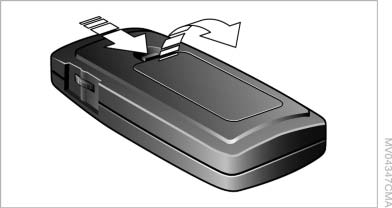
Changing batteries
1. Press the detent and remove the cover.
2. Change the batteries. The type and installation position are marked on the bottom of the battery compartment.
3. Close the cover.
 Take the used battery to a
recycling center
or to your service center.
Take the used battery to a
recycling center
or to your service center.
See also:
Switching on/off manually
Press the button. ...
General information
Antifreeze for washer fluid
Antifreeze is flammable. Therefore, keep
it away from sources of ignition.
Only keep it in the closed original container and
inaccessible to children.
Follow th ...
LATCH child restraint fixingsystem
LATCH: Lower Anchors and Tether for Children.
Note
Manufacturer's information for LATCH
child restraint fixing systems
To mount and use the LATCH child restraint fixing
systems, observe the oper ...