
New contact
1. "Contacts"
2. "New contact"
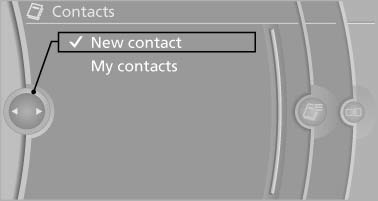
3. The entry fields are still filled with the previous entries: "Delete input fields"
4. Fill in the entry fields: select the symbol next to the entry field.
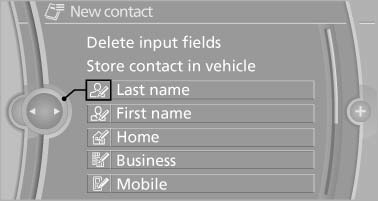
5. Enter the text.
6. If the vehicle is equipped with a navigation system: Enter the address. Only addresses contained in the navigation data in the vehicle can be entered. This ensures that destination guidance is possible for all addresses.
7. If necessary, "Store".
8. "Store contact in vehicle"
Specifying the home address
A home address can be stored. It appears at the top of the contact list.
1. "Home"
2. Create a contact.
3. "Store contact in vehicle"
See also:
Setting the voice dialog
You can set whether the system should use the
standard dialog or a shorter version.
In the shorter variant of the voice dialog, the announcements
from the system are issued in an
abbreviated fo ...
Camera monitoring: Lane Departure Warning System and Collision Warning
The Lane Departure Warning System available for the new BMW 3-Series Sedan is
activated at speeds above 70 km/h (43 mph) and warns the driver if he
unintentionally strays out of his lane. The syst ...
Low beams
Switch position with
the ignition switched
on: the low beams light up. ...