
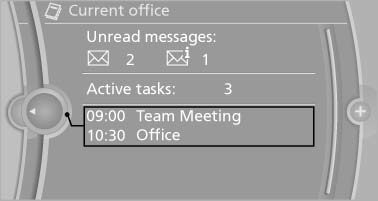
Office information
The number of unread messages and active tasks as well as the upcoming appointments are displayed.
1. "Office"
2. "Current office"
3. Select the desired entry to display details.
See also:
The concept
The central locking system becomes active
when the driver's door is closed.
The system simultaneously engages and releases
the locks on the following:
▷ Doors.
▷ Trunk lid.
▷ ...
Automatic headlamp control
Switch position :
the low beams are switched
on and off automatically, e.g., in tunnels, in twilight
or if there is precipitation. The LED next to
the symbol lights up.
A blue sky with the s ...
Camera
Rain, dirt, snow, or ice can impair camera operation.
The camera is automatically heated when the
external temperatures are low.
The camera is automatically cleaned together
with the headlamps ...