
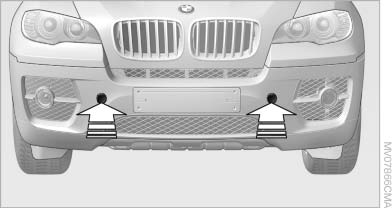
Screw thread
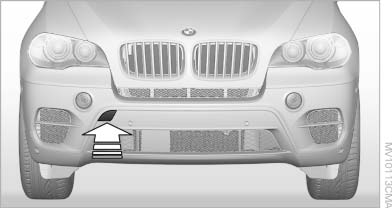
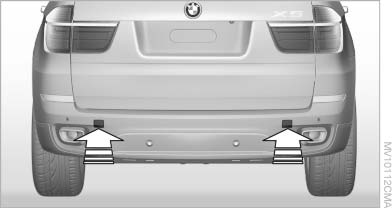
Left/right cover in the bumper: press on the arrow symbol on the cover.
BMW X5: front
BMW X6: front
Rear
See also:
External devices
General information
External audio and video devices and digital
cameras can be connected to cinch sockets, on the CD/DVD player. Operation
takes place on the external device.
Due to the large n ...
Parking using the parking assistant
Personal responsibility
The parking assistant does not relieve the
driver of responsibility for the vehicle during the
parking procedure.
Watch the parking space and parking procedure
closely ...
Service and Warranty
Information Booklet for US
models and Warranty and
Service Guide Booklet for
Canadian models
Please consult your Service and Warranty Information
Booklet for US models and Warranty and
Service Guide Booklet for Canadian models for
additional information on service requirements.
Mainten ...