
External devices
General information
External audio and video devices and digital cameras can be connected to cinch sockets, on the CD/DVD player. Operation takes place on the external device.
Due to the large number of different audio and video devices available on the market, it cannot be ensured that every audio and video device will be displayed correctly on the screen.
Connecting an external device
1. Fold down the cover in front of the cinch sockets on the CD/DVD player.
2. Connect the external device to the RCA sockets.
- Video: yellow socket.
- Audio: white and red socket.
Starting playback
1. "CD/Multimedia"
2. "External devices"
3. Select the
 or
or
 symbol.
Volume
The volume of the sound output is dependent on the audio device. If this volume differs markedly from the volume of the other audio sources, it is advisable to adjust the volumes.
Adjusting the volume
The volume can only be adjusted if no external video device is connected.
1. "CD/Multimedia"
2. "External devices"
3. Select the
 or
or
 symbol.
4. "Volume"
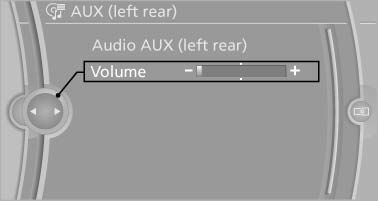
5. Turn the controller until the desired volume is set and press the controller.
See also:
Playing music
Music search
All tracks for which additional information has
been stored can be accessed by the music
search. Tracks without additional information
can be called up via the corresponding album
...
Avoiding unintentional alarms
The tilt alarm sensor and interior motion sensor
can be switched off together, such as in the following
situations:
▷ In duplex garages.
▷ During transport on car-carrying trains, at ...
Entering a phone number
Dialing a number
When entering phone numbers, you can switch
between entering letters and numbers.
Service numbers can be entered more easily,
e. g. 1-888-BMW-CARD.
1. "Telephone".
2 ...