
Playing music
Music search
All tracks for which additional information has been stored can be accessed by the music search. Tracks without additional information can be called up via the corresponding album.
1. "CD/Multimedia"
2. "Music collection"
3. "Music search"
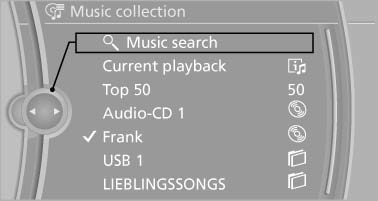
4. Select the desired category.
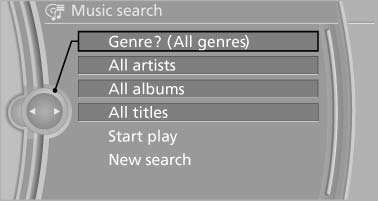
5. Select the desired entry:
- Select "A-Z search", and input the desired entry.
- Select the desired entry from the list.
6. Select other categories if you wish.
The tracks found are listed in alphabetical order.
Not all categories need to be selected. For example, to search for all tracks by a certain artist, call up that artist only. All of the tracks by that artist are then displayed.
7. "Start play"
The list of tracks is repeated automatically.
Restarting the music search
"New search"
Music search using spoken instructions
Instructions for the voice activation system.
1.  Press the button on the
steering
wheel.
Press the button on the
steering
wheel.
2. ›Music search‹
3. Open the desired category, e.g., ›Select artist‹.
4. Say the desired entry in the list.
5. Select other categories if you wish.
To select a track directly: ›Title ...‹.
Say the voice command and the name of the desired track in a single command.
Current playback
The list of tracks that was generated last by the music search, or the album that was selected last.
1. "CD/Multimedia"
2. "Music collection"
3. "Current playback"
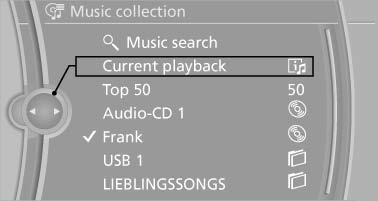
4. Select the desired track, if necessary.
Top 50
The 50 most frequently played tracks.
1. "CD/Multimedia"
2. "Music collection"
3. "Top 50"
4. Select the desired track, if necessary.
Albums
All stored albums, listed in order of their storage dates.
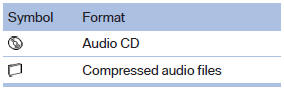
1. "CD/Multimedia"
2. "Music collection"
3. Select the desired album.
Depending on the album, the tracks or the subdirectories of the album are displayed.
The first track is played automatically, if possible.
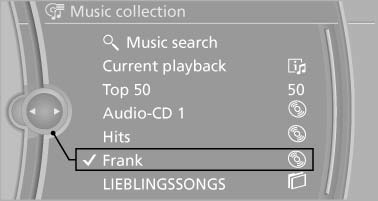
4. Change directories if needed to select tracks.
To go up a level in the directory: move the controller to the left.
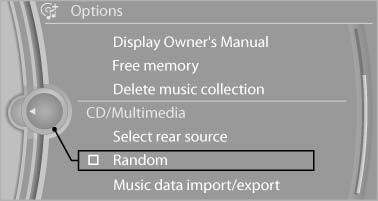
Random playback
All tracks of the selection are played back in random order.
1. "CD/Multimedia"
2. "Music collection"
3. Open "Options".
4. "Random"
See also:
Current fuel consumption
Instrument cluster
Displays the current fuel consumption.
You can check
whether you are currently driving
in an efficient and environmentally-
friendly manner.
Instrument cluster with enhan ...
Display visibility
The visibility of the displays in the Head-up Display
is influenced by:
Certain sitting positions.
Objects on the cover of the Head-up Display.
Sunglasses with certain polarization filters.
...
Incoming call
Receiving calls
If the number of the caller is stored in the phone
book and is transmitted by the network, the
name of the contact is displayed. Otherwise,
only the phone number is displayed.
...