
Storing a station
1. "Radio"
2. "FM" or "AM"
3. Highlight the desired station.
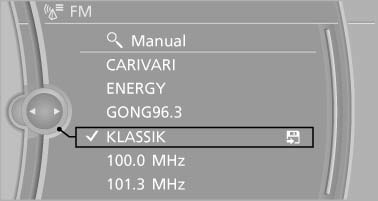
4. Press the controller for an extended period.
5. Select the desired memory location.
The stations are stored for the remote control currently in use.
The stations can also be stored on the programmable memory buttons.
See also:
Switching on/off
Press the button.
On: the LED lights up.
Off: the LED goes out.
The system can issue warnings at speeds above
approx. 30 mph/50 km/h.
The state is stored for the remote control currentl ...
Tire tread
Summer tires
Do not drive with a tire tread depth of less than
0.12 in/3 mm.
There is an increased danger of hydroplaning if
the tread depth is less than 0.12 in/3 mm.
Winter tires
Do not driv ...
Telephone
...