
Address book
Selecting a destination from the address book
1. "Navigation"
2. "Address book"
Contacts with addresses are displayed if
these have been checked as destinations.
If the mobile phone* does not display the
contacts with addresses, they must first be checked as a destination.
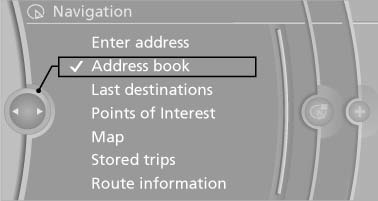
3. Select a contact in the list or, if desired, with "A-Z search".
4. "Business address" or "Home address"
Storing the destination in the address book
After entering the destination, store the destination in the address book.
1. Open "Options".
2. "Store as new contact" or "Add to existing contact"
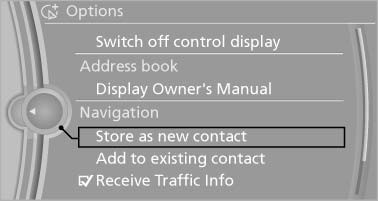
3. Select an existing contact, if available.
4. "Business address" or "Home address"
5. Enter "Last name" and, if necessary, "First name".
6. "Store in vehicle"
Storing the position
The current position can be stored in the address book.
1. "Navigation"
2. Open "Options".
3. "Store position as contact" or "Add position to contact"
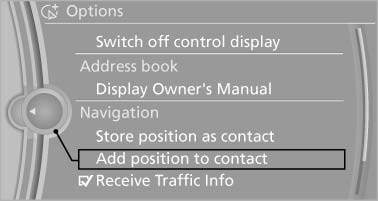
4. Depending on the selection, choose an existing contact from the list. Select the type of address and enter the first and last name.
5. "Store in vehicle"
Editing or deleting an address
1. "Navigation"
2. "Address book"
3. Highlight the entry.
4. Open "Options".
5. "Edit in Contacts" or "Delete entry"
Using the home address as the destination
The home address must be stored. Specify the home address.
1. "Navigation"
2. "Address book"
3. "Home"
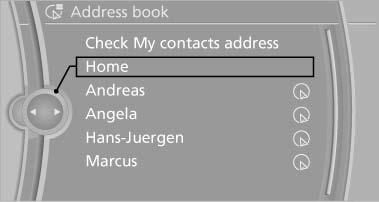
4. "Start guidance"
See also:
Route criteria
General information
▷ The route calculated can be influenced by
selecting certain criteria.
▷ The route criteria can be changed when the
destination is entered and during destination ...
Switching on/off
Press the button. ...
SPORT
Sporty driving with optimized chassis and suspension
with maximum driving stabilization.
The program can be configured to individual
specifications. The configuration is stored for
the remote c ...