
Audio playback
Selecting the track using the button
 Press the button repeatedly
until the
desired track is played.
Press the button repeatedly
until the
desired track is played.
Selecting a track via iDrive
Audio CDs
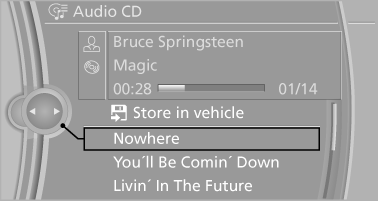
Select the desired track to begin playback
CDs/DVDs with compressed audio files
Depending on the data, some letters and numbers of the CD/DVD may not be displayed correctly.
1. Select the directory if necessary.
To go up a level in the directory: move the controller to the left.
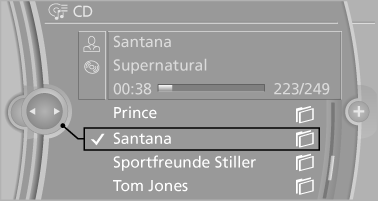
2. Select the desired track to begin playback.
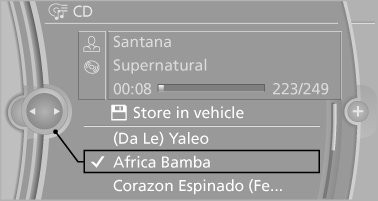
Displaying information on the track
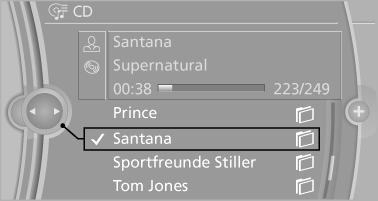
If information about a track has been stored, it is displayed automatically:
▷ Interpret.
▷ Album track.
▷ Number of tracks on the CD/DVD.
▷ File name of track.
Random playback
1. "CD/Multimedia"
2. "CD/DVD"
3. Select the desired CD or DVD.
4. "Options" Open.
5. "Random"
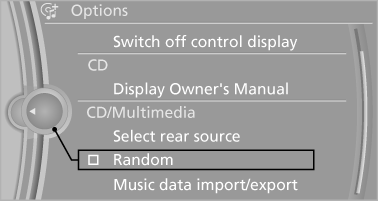
CDs/DVDs with compressed audio files: All tracks in the selected directory are played in random order.
Random mode is switched off when the audio source is changed and the ignition is switched off.
Fast forward/reverse
 Press and hold the button.
Automatic repeat
The selected CDs or DVDs are repeated automatically.
See also:
Starting playback
1. Push the CD/DVD into the drive with the labeled
side facing upward. The CD/DVD is
automatically pulled in.
▷ Playback begins automatically after a
few seconds.
▷ Otherwise: sele ...
The concept
Mobile phones or other external devices such as
audio players can be connected to the vehicle
via Bluetooth.
Bluetooth® is a registered trademark of Bluetooth
® SIG, Inc.
After these devices a ...
Vehicle information
Computer
...