
Visual warning
The approach of the vehicle to an object can be shown on the Control Display.
When the distance to an object is small, a red bar is shown in front of the vehicle, as it is in the PDC display.
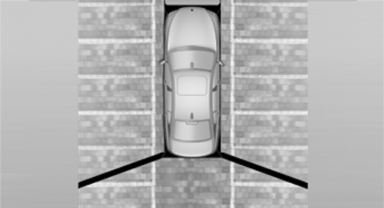
The display appears as soon as Top View is activated.
If the backup camera image was selected last, it again appears on the display. To switch to Top View:
 "Rear view camera" Select the
symbol on
the Control Display.
"Rear view camera" Select the
symbol on
the Control Display.
The setting is stored for the remote control currently in use.
See also:
General information
Take the remote control with you
Take the remote control with you when
leaving the vehicle so that children, for example,
cannot operate the power windows and injure
themselves.◀
Pow ...
Replacing the battery
1. Take the integrated key out of the remote
control.
2. Push in the catch with the key, arrow 1.
3. Remove the cover of the battery compartment;
see arrow 2.
4. Insert a battery of the same ty ...
Display
Display
Information stage
The dimmed lamp in the mirror housing indicates
when there are vehicles in the blind spot
or approaching from behind.
Warning
If the turn signal is set while a ve ...