
Display on the Control Display
Display the computer or trip computer on the Control Display.
1. "Vehicle Info"
2. "Onboard info" or "Trip computer"
Resetting the fuel consumption or speed
1. "Vehicle Info"
2. "Onboard info"
3. "Cons." or "Speed"
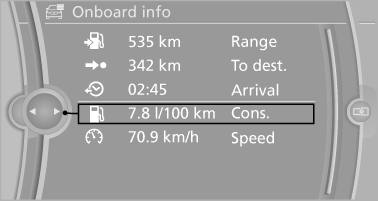
4. "Yes"
See also:
BMW X6: rear seats
The head restraints in the rear cannot be adjusted
and cannot be removed. ...
Driving tips
This section provides you with information useful in dealing with specific driving
and operating conditions. ...
Opening/closing the glass sunroof
With the sliding visor open, proceed as described
under Sliding visor. ...