
Controller
Select menu items and create settings.
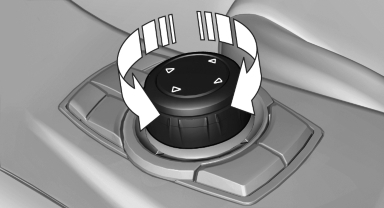
1. Turn.
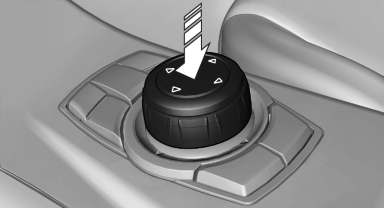
2. Press.
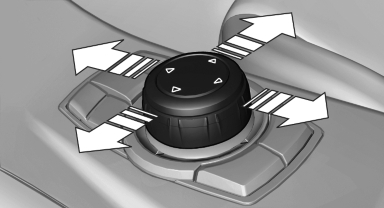
3. Move in four directions.
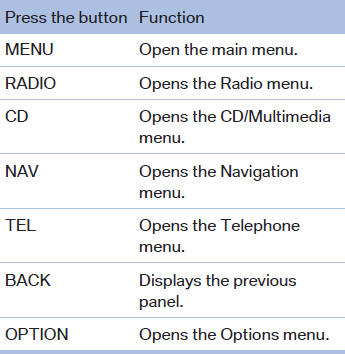
Buttons on controller
See also:
The ultimate in personalization: BMW Sport Line and BMW Urban Line make
their debut
The exclusive new BMW Sport Line and BMW Urban Line of interior and exterior
equipment help to show off the high-tech, dynamic facets of the new BMW 1-Series
to best advantage.
The BMW Sport Lin ...
At a glance
At a glance
1 Function bar
2 Route section with traffic obstruction
3 Traffic sign for traffic obstruction
4 Planned route
5 Current location
6 Upper status field
7 Lower status field
Lines ...
Actions in the event of a flat tire
Normal tires
1. Identify the damaged tire.
Do this by checking the air pressure in all
four tires.
If the tire inflation pressure in all four tires is
correct, the Tire Pressure Monitor may no ...