
Indications on the Control Display
EfficientDynamics
Information on fuel consumption and technology can be displayed during driving.
1. "Vehicle Info"
2. "EfficientDynamics"
Displaying fuel consumption history
The average fuel consumption can be displayed within an adjustable time frame.
 "Consumption history"
Adjusting fuel consumption history time frame
 Select the symbol.
Resetting fuel consumption history
1. "Options" Open.
2. "Reset consumption history"
Displaying EfficientDynamics info
The current efficiency can be displayed.
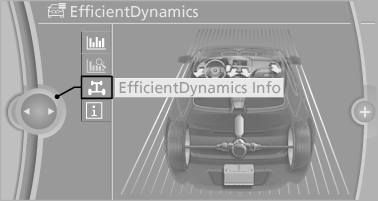
 "EfficientDynamics Info"
The following systems are displayed:
▷ Automatic engine start/stop function.
▷ Energy recovery.
▷ Climate control output.
See also:
Opening the Options menu
Press the button.
The "Options" menu is displayed.
Additional options: move the controller to the
right repeatedly until the "Options" menu is displayed.
Options menu ...
The concept
The vehicle alarm system responds to:
Opening of a door, the hood or the trunk lid.
Movements in the vehicle: interior motion
sensor.
Changes in the vehicle tilt, e.g., during attempts
t ...
Seats with safety belt
The vehicle has five seats, each of which is
equipped with a safety belt. ...