
Date
Setting the date
1. "Settings"
2. "Time/Date"
3. "Date:"
4. Turn the controller until the desired day is
displayed.
5. Press the controller.
6. Make the necessary settings for the month
and year.
The date is stored.
Setting the date format
1. "Settings"
2. "Time/Date"
3. "Format:"
4. Select the desired format.
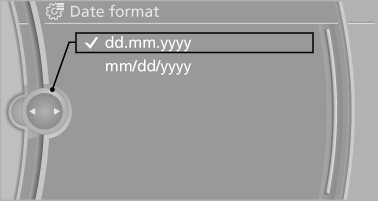
The date format is stored.
See also:
Possible commands
Most menu items on the Control Display can be
voiced as commands.
The available commands depend on which
menu is currently displayed on the Control Display.
There are short commands for functi ...
Time
The time is displayed at the
bottom
of the instrument cluster.
Setting the time and time format ...
All around the headliner
All around the headliner
1
Emergency Request
2
Glass sunroof
3
Indicator lamp, front passenger airbag
4
Reading lamps
5
Interior lamps ...