
Indication in the info display
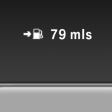
The information from the onboard computer is shown in the info display in the instrument cluster.
See also:
Welcome lamps
When parking the vehicle, leave the switch in
position or
the parking and interior
lamps light up briefly when the vehicle is unlocked.
Activating/deactivating
1. "Settings"
2. &qu ...
Compatibility
If this symbol is printed on the packaging
or in the instructions of the system to be
controlled, the system is generally compatible
with the integrated universal remote
control.
If you hav ...
Destination entry by map
Selecting the destination
1. "Navigation"
2. "Map"
The current position of the vehicle is indicated
on the map.
3. "Interactive map"
4. Select the destination w ...