
Selecting a track
Buttons on CD/DVD player
 Press the button
for the corresponding
direction repeatedly until you reach the desired
track.
Press the button
for the corresponding
direction repeatedly until you reach the desired
track.
Playback begins at the start of the track.
Using the remote control
 Press the button
for the corresponding
direction repeatedly or turn the thumbwheel until
you reach the desired track.
Press the button
for the corresponding
direction repeatedly or turn the thumbwheel until
you reach the desired track.
Playback begins at the start of the track.
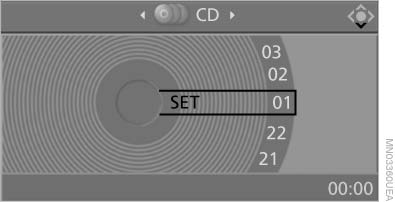
Playback begins at the start of the track
See also:
Safety
As of publication, the X6 hasn't been crash-tested by the Insurance Institute
for Highway Safety. The SUV comes with a number of standard safety features,
including antilock brakes, side-impact ai ...
My contacts
General informationList of all contacts from the vehicle.
Displaying contacts1. "Contacts"
2. "My contacts"
All contacts are listed in alphabetical order. Dependin ...
Issuing a warning
If the vehicle begins leaving the lane and a lane
marking has been detected, the steering wheel
begins vibrating.
If the turn signal is set before the lane is
changed, a warning is not issued.
...