
Opening and closing: from the inside
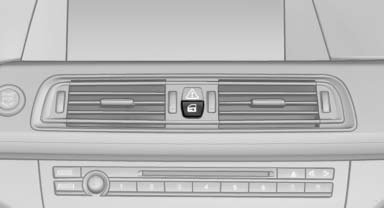
Unlocking and opening
- Either unlock the doors together using the button for the central locking system and then pull the door handle above the armrest or
- Pull the door opener twice individually on each door: the first time unlocks the door, the second time opens it.
Locking and unlocking
 Press the button in the
vehicle.
The doors and the trunk lid are locked
or unlocked when the front doors are closed, but
they are not secured against theft.
Press the button in the
vehicle.
The doors and the trunk lid are locked
or unlocked when the front doors are closed, but
they are not secured against theft.
The fuel filler flap remains unlocked.
Automatic locking
The setting is stored for the remote control currently in use.
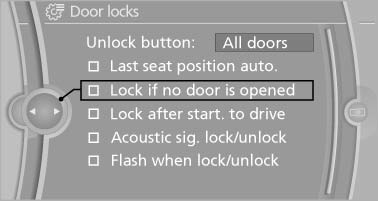
1. "Settings"
2. "Door locks"
3. Select the desired function:
- "Lock if no door is opened" The vehicle locks automatically after a short period of time if a door is not opened.
- "Lock after start. to drive"
The vehicle locks automatically after you drive away.
See also:
Care products
Regular cleaning and care contributes significantly to the value retention of
your BMW.
BMW recommends cleaning and caring for your vehicle with products that are approved
by BMW for this purpose ...
Ignition off
Automatic transmission: press the Start/Stop
button again, and do not press on the brake
pedal at the same time.
Manual-shift transmission: press the Start/Stop
button again, and do not press o ...
Office
...