
Front seat heating
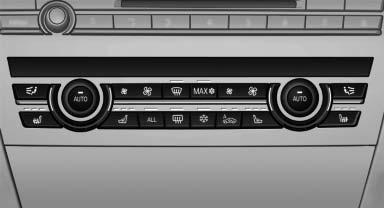
Switching on
 Press the button once for each
temperature
level.
Press the button once for each
temperature
level.
The maximum temperature is reached when three LEDs are lit.
Switching off
Press the button longer.
The LEDs go out.
The temperature may be reduced or seat heating may be switched off entirely to save battery power.
Temperature distribution
The heating action in the seat cushion and backrest can be distributed in different ways.
1. "Climate"
2. "Seat heating distribution"
3. Select the required seat.
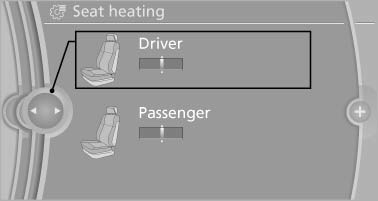
4. Turn the controller to set the temperature distribution.
See also:
ConnectedDrive or BMW Assist
...
Adaptive light control
The concept
Adaptive light control is a variable headlamp
control system that enables dynamic illumination
of the road surface.
Depending on the steering angle and other parameters,
the light f ...
The concept
The vehicle can be accessed without activating
the remote control.
All you need to do is to have the remote control
with you, e.g., in your jacket pocket.
The vehicle automatically detects the r ...