
Selecting a station
1. "Radio"
2. "FM" or "AM"
3. Select the desired station.
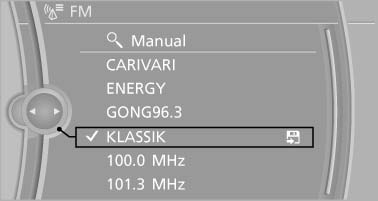
Select the desired station
All saved stations are stored for the remote control currently in use.
Changing the station
Turn the controller and press it
or  Press the button
or Press the buttons on the steering wheel
Press the button
or Press the buttons on the steering wheel
See also:
Fuel gauge
The vehicle inclination may
cause the display to vary.
Notes on refueling, refer to
page 234. ...
Calling up settings
Do not retrieve the memory while driving
Do not retrieve the memory setting while
driving, as an unexpected movement of the seat
or steering wheel could result in an accident.◀
Comfort fu ...
Automatic tailgate operation
Opening
The trunk lid opens fully.
▷ Press the button on the exterior of the trunk
lid.
▷ Press the
button on the remote
control for approx. 1 second.
▷ Push the button ...