
Activating a list and creating the setting
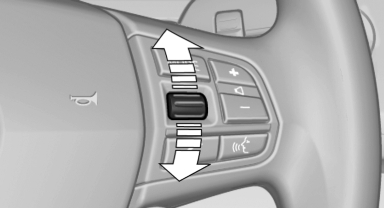
Press a button on the right side of the steering wheel or turn the thumbwheel to activate the required list.
Create the setting using the thumbwheel.
See also:
Time
The time is displayed at the bottom
of the instrument cluster.
Setting the time and time format. ...
Windshield washer nozzles
The washer jets are automatically heated whenever
the ignition is switched on. ...
Signal tones
When approaching an object, an intermittent
tone is sounded that indicates the position of the
object. For example, if an object is detected to
the left rear of the vehicle, a signal tone sounds ...