
Entering a town/city
1. Select "Town/City/Postal Code" or the displayed town/city.
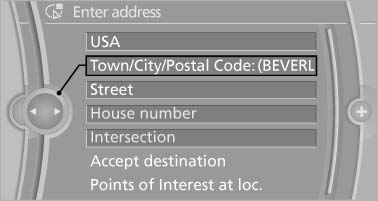
Town/City/Postal Code
2. Select letters, if necessary.
The list is narrowed down further with each entry.
3. Move the controller to the right.
4. Select the name of the town/city from the list.
If there are several towns/cities with the same name:
1. Change to the list of town/city names.
2. Highlight the town/city.
3. Select the town/city.
See also:
CD/multimedia
CD/DVD
When the same audio source (front CD/DVD
player, rear CD/DVD player, DVD changer) is selected
in the front and rear, the same material is
played.
Operation is the same as for the front ...
Adjusting the volume
Adjusting the volume
Turn the knob during an announcement.
▷ The volume remains constant even if the
volume of other audio sources is changed.
▷ The volume is stored for the remote ...
Last destinations
At a glance
The destinations previously entered are stored
automatically.
The destinations can be called up and used as a
destination for destination guidance.
Calling up the last destination
...