
Entering a state/province
1.  Press the
button.
Press the
button.
2. "Navigation"
3. "Enter address"
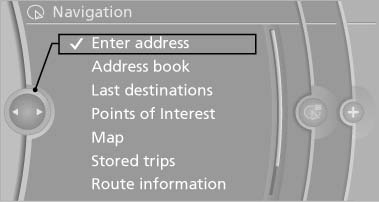
Enter address
4. Select "State/Province" or the displayed state/province.
See also:
System limits
The cameras capture a maximum range of
330 ft/100 m.
Display
The images from both cameras are shown simultaneously
on the Control Display.
Check the traffic situation as well
Check the tra ...
Safety belts
Observe the adjustment instructions on page
45 to ensure the best possible personal protection.
Before every drive, make sure that all occupants wear their safety belts. Airbags
complement the s ...
2010 BMW X6 Review
Crow tastes better with the right seasoning.
After writing a less-than-favorable review of the 2010 BMW 5 Series GT, I had visions of putting Mangus Hirschfield behind the wheel of the 2010 X6 M.
B ...