
Adjusting manually
Forward/backward
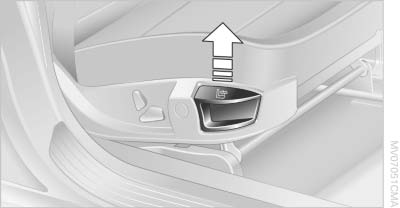
Forward/backward
Pull the lever and slide the seat into the desired position. After releasing the lever, move the seat forward or back slightly to make sure it engages properly.
Thigh support
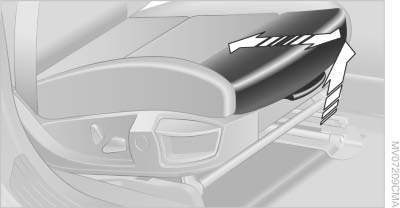
Thigh support
Pull the lever and move the thigh support forward or back
See also:
Notes on Emergency Requests
Do not use the voice activation system to initiate
an Emergency Request. In stressful situations,
the voice and vocal pitch can change. This can
unnecessarily delay the establishment of a teleph ...
Rear
Rear
Operation similar to front seat heating, without
temperature distribution. ...
Route criteria
General information
▷ The route calculated can be influenced by
selecting certain criteria.
▷ The route criteria can be changed when the
destination is entered and during destination ...