
Units of measure
You can change the units for fuel consumption, route/distance, temperature and pressure.
1. "Settings"
2. "Language/Units"
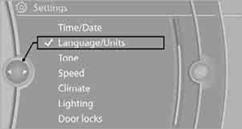
3. Select the desired menu item.
4. Select the desired unit.
The settings are stored for the remote control currently in use.
See also:
System limits
Personal responsibility
The High-beam Assistant cannot serve as
a substitute for the driver's personal judgment
of when to use the high beams. Therefore, manually
switch off the high beams in ...
Manual air distribution
The air distribution can be adjusted to individual
needs.
Press the button repeatedly to
select a
program:
Upper body region.
Upper body region and footwell.
Footwell.
...
Automatic locking
The setting is stored for the remote control currently
in use.
1. "Settings"
2. "Door locks"
3. Select the desired function:
▷ "Lock if no door is opened"
T ...