
General information
 Take the remote control with you
Take the remote control with you when
leaving the vehicle so that children, for example,
cannot operate the power windows and injure
themselves.◀
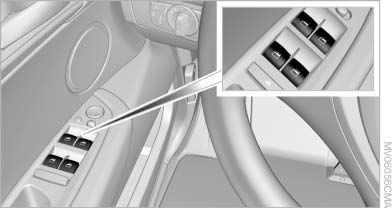
Power windows
See also:
Destination guidance through voice instructions
Switching voice instructions on/offVoice instructions can be switched
on or off during destination guidance.
1. "Navigation"
2. "Map"
3. "Voice ...
Ride & Handling
The X6 surprised me here, and in a good way. Upon sizing up its aggressive
design, you might think that this is an SUV that's all about delivering a
performance driving experience, even if it come ...
Shifting
Shifting into 5th or 6th gear
When shifting into 5th or 6th gear, push
the gearshift lever to the right; otherwise inadvertent
shifting into the 3rd or 4th gear could
lead to engine damage ...