
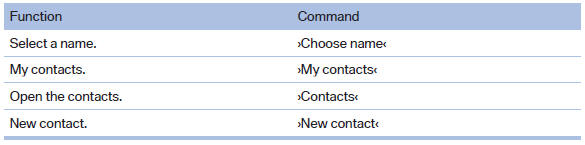
Contacts
See also:
Camera
Camera
The camera is located near the base of the mirror.
Keep windshield clean and clear in the area in
front of the interior rear view mirror. ...
System limits
Be alert
Due to system limitations, warnings may
be not be issued at all, or may be issued late or
improperly. Therefore, always be alert and ready
to intervene; otherwise, there is the da ...
Opening the search for special
destinations
Selection of special destinations, such as hotels
or tourist attractions.
1. "Navigation"
2. "Points of Interest"
3. Select the search function. ...