
Selecting the calendar day
1. Select the date.
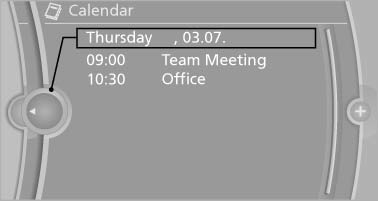
2. Select the desired day or date.
- "Next day"
- "Date:"
- "Previous day"
- "Today"
See also:
High beams/roadside parking lamps
High beams/roadside parking lamps
1. High beams
2. Headlamp flasher
3. Roadside parking lamps ...
Last destinations
The last destinations are stored automatically. These destinations can be called
up and used as a destination for destination guidance.
Opening the last destinations1. "Navigation"
...
Welcome lamps
When parking the vehicle, leave the switch in
position or
the parking and interior
lamps light up briefly when the vehicle is unlocked.
Activating/deactivating
1. "Settings"
2. &qu ...