
Bypassing a section of the route
Calculate a new route for a route section.
1. "Navigation"
2. "Route information"
3. "New route for"
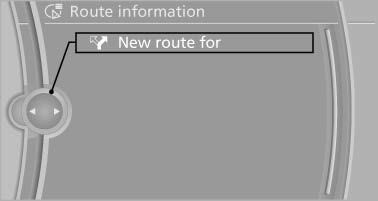
4. Turn the controller. Enter the number of kilometers within which you would like to return to the original route.
5. Press the controller.
See also:
High beams/roadside parking lamps
High beams/roadside parking lamps
1. High beams
2. Headlamp flasher
3. Roadside parking lamps ...
Multi-channel playback,surround
Choose between stereo and multi-channel playback,
surround.
Setting multi-channel playback,
surround
1. "CD/Multimedia", "Radio" or "Settings"
2. "Tone"
3 ...
Automatic-Transmission
Switching off the engine
1. Engage transmission position P with the vehicle
stopped.
2. Press the Start/Stop button.
The engine is switched off.
The radio ready state is switched on.
3. Set the ...