
Front
A storage compartment is located in the center armrest between the front seats.
Opening
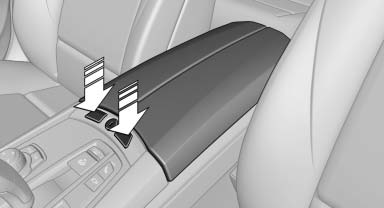
Press the buttons next to the lock.
Locking the storage compartment
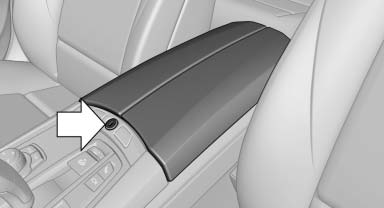
The storage compartment in the armrest can be locked with an integrated key to separately secure the trunk lid, for example.
After the storage compartment is locked, the remote control can be handed out without the integrated key, for instance at a hotel.
This prevents access to the storage compartment and to the cargo area.
Connection for an external audio device
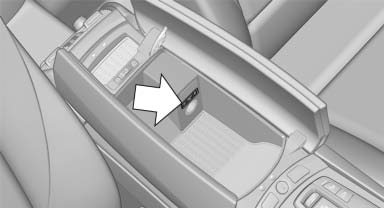
This can be used to connect an external audio device, such as a CD or MP3 player.
- AUX-IN port.
- USB audio interface*.
See also:
General information
Two different driver's seat and front passenger
seat positions, exterior mirror positions and
steering wheel positions can be stored and retrieved.
The adjustment of the backrest width and the
...
Vehicle battery
Maintenance
The battery is maintenance-free, i.e., the electrolyte
will last for the life of the battery.
Your service center will be glad to advise you on
questions regarding the battery.
Batt ...
Destination entry by voice
General information
Instructions for voice activation system.
When making a destination entry by voice,
you can change between voice operation
and iDrive.
To have the available spoken in ...