
Climate control operation on the headliner
Temperature

Turn the wheel to set the desired temperature.
Air volume
 Press the left or right side of
the button:
decrease or increase air volume.
Press the left or right side of
the button:
decrease or increase air volume.
LEDs indicate the intensity of the air supply.
The air volume may be reduced automatically to save battery power.
Ventilation
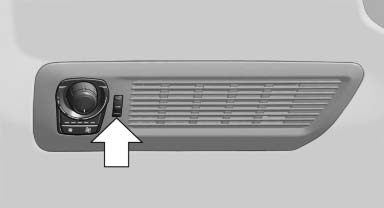
Thumbwheel for changing the air flow direction, arrow.
See also:
Opening the main menu
Press the button.
The main menu is displayed.
All iDrive functions can be called up via the main
menu. ...
At a glance
General informationContacts, appointments, tasks, notes, text messages, and emailscan be
displayed using the Control Display if the mobile phone compatibly supports these
functions and the require ...
General information
TeleService supports communication with your
service center.
▷ Data on the vehicle's service requirements
can be sent directly to the service center. In
this way, the service center can p ...