
Current fuel consumption
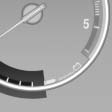
Displays the current fuel consumption. You can check whether you are currently driving in an efficient and environmentally- friendly manner.
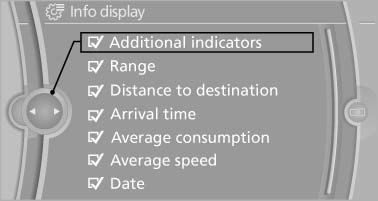
Displaying the current fuel consumption
1. "Settings"
2. "Info display"
3. "Additional indicators"
The bar display for the current fuel consumption is displayed in the instrument cluster.
See also:
Navigation
This chapter describes how you can enter destinations and specify your route
so that your navigation system guides you reliably to your destination. ...
Front head restraints
Correctly adjusted head restraint
A correctly adjusted head restraint reduces the
risk of injury to cervical vertebrae in the event of
an accident.
Adjusting the head restraint
Correctly adjust ...
Redialing
General information
The list of dialed numbers in the mobile phone
is transmitted to the vehicle depending on the
mobile phone. The 20 phone numbers dialed
last are displayed. The sorting order of ...