
Rear seat heating
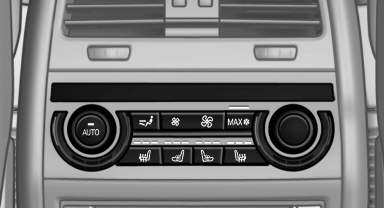
Switching on
 Press the button once for each
temperature
level.
Press the button once for each
temperature
level.
The maximum temperature is reached when three LEDs are lit.
Switching off
Press the button longer.
The LEDs go out.
Temperature distribution
The heating action in the seat cushion and backrest can be distributed in different ways.
1. "Climate"
2. "Seat heating rear"
3. Select the required seat.
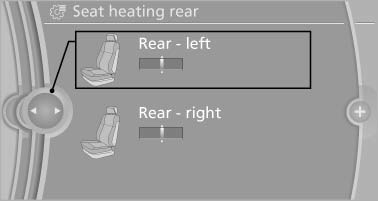
4. Turn the controller to set the temperature distribution.
See also:
Engine oil temperature
When the engine is at normal operating temperature, the engine oil temperature
is between approx. 210 7/100 6 and approx. 300 7/150 6.
If the engine oil temperature is too high, a message appears ...
Date
Setting the date
1. "Settings"
2. "Time/Date"
3. "Date:"
4. Turn the controller until the desired day is
displayed.
5. Press the controller.
6. Make the necessary ...
Services status
Displaying available services
Display of all services available in the vehicle.
1. "BMW Assist" or "ConnectedDrive"
2. "Service Status"
3. "Available services&qu ...