
Front active seat ventilation
The seat cushion and backrest surfaces are cooled by means of integrated fans.
The ventilation rapidly cools the seat, e.g., if the vehicle interior is overheated or for continuous cooling at high temperatures.
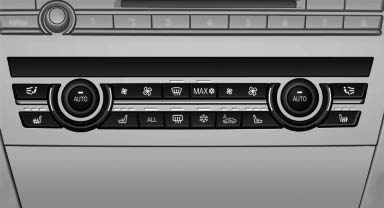
Switching on
 Press the button once for each
ventilation
level.
Press the button once for each
ventilation
level.
The highest level is active when three LEDs are lit.
After a short time, the system automatically moves down one level in order to prevent excessive cooling.
Switching off
Press the button longer.
The LEDs go out.
See also:
Have maintenance carried out
Have vehicles maintained regularly to achieve
optimal vehicle economy and operating life.
Have the maintenance carried out by your service
center.
Please also note the BMW Maintenance System ...
Towing other vehicles
General information
Light towing vehicle
Your vehicle must not be lighter than the
vehicle being towed; otherwise, it will not be
possible to control vehicle response.
Attaching the tow bar/t ...
Possible commands
Having possible commands read aloud
Press the button. ›Help‹. Possible commands
are announced.
The digits from zero to nine are recognized. The
digits can be spoken separately or combined in
a ...