
Opening the main menu
 Press the button.
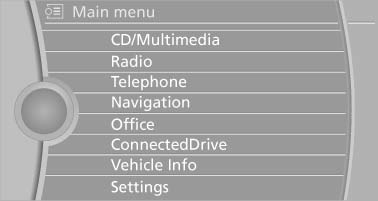
The main menu is displayed.
All iDrive functions can be called up via the main menu.
See also:
Changing the route criteria
1. "Navigation"
2. "Map"
3. "Route
preference"
4. Select the criterion:
▷ "Fast route":
time-optimized route,
being a combination of the short ...
General information
Moving parts need to be broken in to adjust to
each other.
The following instructions will help achieve a
long vehicle life and good economy. ...
Opening
Pull on the opener and fold the cooler forward. ...